For many fire services, fire alarm system responses are part of everyday operations, at least on paper. In practice, however, it often looks like this: crews know the basic procedure and may have already seen the building documentation, but real confidence only comes through repetition. And that is exactly where the problem lies: training on real fire alarm systems is rarely possible. Operation, liability, availability, and, in the end, the understandable fact that nobody wants people pressing buttons on a real system “just for training.”
That is exactly why fire alarm system training in the classroom is so valuable. And that is exactly what the BMA-Trainer is made for: practicing procedures, roles, and typical scenarios in a realistic way without using a real system, but with everything that matters during an actual incident.
Why classroom training works so well for fire alarm system responses
In the classroom, two things can be combined very effectively:
- Building understanding: What does the display mean? What is relevant? Which sequence makes sense?
- Reinforcing procedures: Who does what? When does which information become available? How do you continue in a structured way?
The classroom is not “less realistic.” It is simply the place where procedures can be trained properly without stress. And that pays off later. Crews who have a clear understanding of the sequence in their heads work more calmly and quickly during an actual incident, and they make fewer mistakes.
What the BMA-Trainer makes possible in the classroom
The BMA-Trainer is not just a “click-through app.” It is a training system that can realistically recreate fire alarm system responses. In the classroom, this means in practical terms:
1) Represent buildings digitally as floor plans
Any building can be created as a digital floor plan. For example:
- the fire station, which is ideal for getting started
- a building in the local area, such as a school, care facility, or commercial property
- a building scheduled for demolition or a training object
- or one of the existing templates
The major advantage: training does not take place with a random fictional building, but with structures that are already familiar or that crews need to become familiar with.
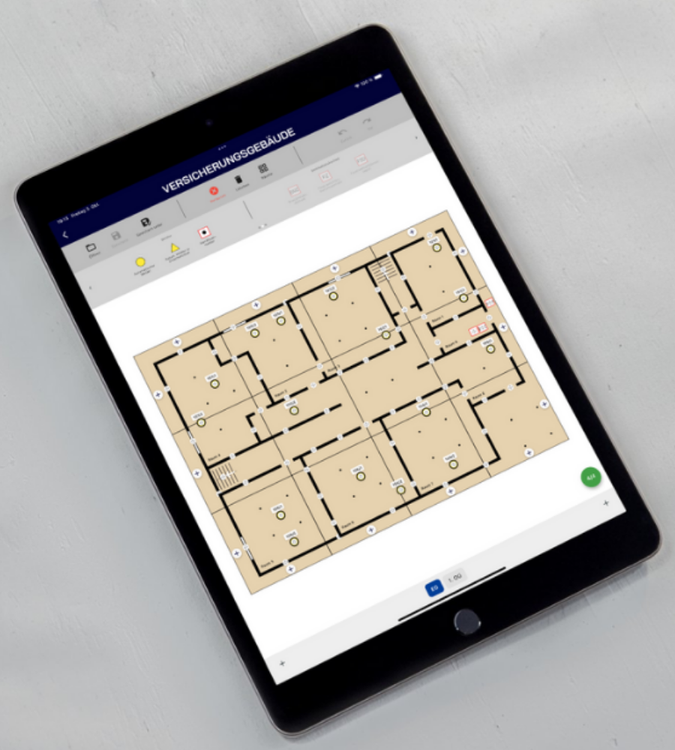
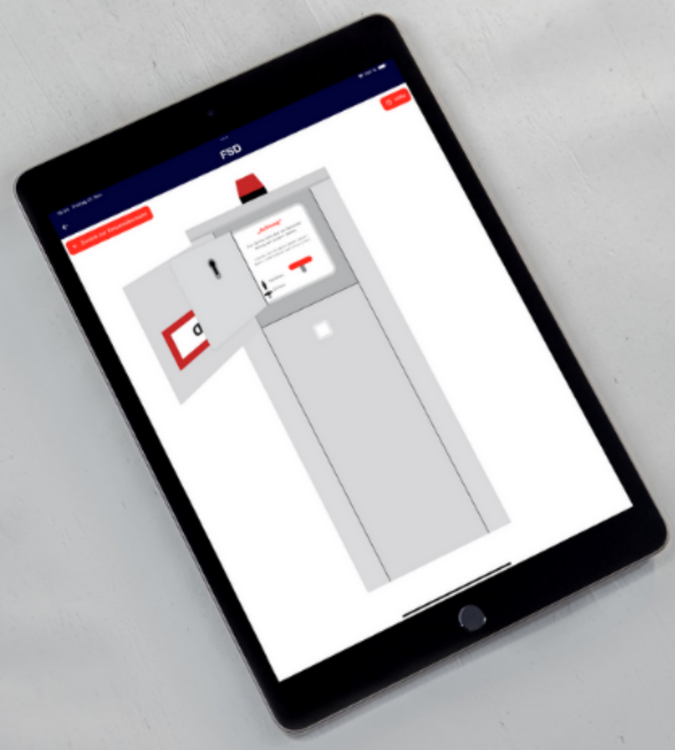
2) Recreate real fire alarm system structures: detectors, FIZ, FSD, BMA
The relevant points can be placed on the floor plan exactly as they appear in the building:
- detectors / detector groups
- FIZ (information point)
- FSD (access / key depot)
- BMA (reset / displays)
- and additional elements, such as extinguishing systems
This is especially helpful in the classroom because it allows connections to be explained clearly: Which display leads to which fire alarm floor diagram? What is truly relevant? What is “just information”?
3) Automatically generate fire alarm floor diagrams and adjust them as needed
Fire alarm floor diagrams are a key part of training. Not because they are “complicated,” but because they are still sometimes used incorrectly during an actual incident: the wrong diagram, the wrong direction, the wrong interpretation, or a lack of orientation.
In the BMA-Trainer, fire alarm floor diagrams are automatically generated from the floor plan and can then be adjusted as needed, for example:
- custom routes
- notes / special considerations
In the classroom, this can be used very effectively for training:
- “Which fire alarm floor diagram do we need now? Why this one exactly?”
- “What is really important on the diagram?”
- “What is only additional information?”
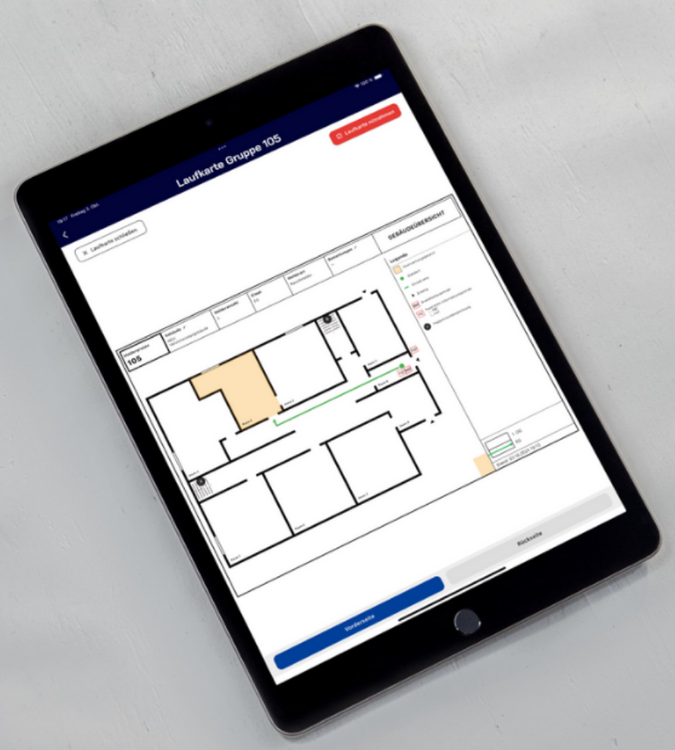
4) Import Your Own Zone Cards
In addition to creating a floor plan, there is a second way to create a ready-to-use training building: existing fire alarm floor diagrams can be imported directly, either as an image or PDF from the gallery, via the camera, or from your files. The detectors are then placed in the correct position on the diagram with a simple tap. After that, the building is ready for training.
In the classroom, this is especially helpful when real fire alarm floor diagrams already exist for a building: training then takes place with the exact diagrams that participants will actually encounter during an incident, without having to recreate the floor plan first.
Classroom exercise: roles and procedures just like in an actual incident
In training mode, the BMA-Trainer has two basic roles:
- Training lead (at least 1 device): selects the building, starts the exercise, and triggers detectors
- Training participants (at least 1 device): work through the procedure
This means that a group can truly train together in the classroom: in a structured, guided way and with changing roles.
Two additional roles are also available:
- Attack crew: receives the fire alarm floor diagram on its own device directly from the fire service information center (FIZ), with a defined handover and return process. After handover, the diagram can only be accessed on that device, just as the crew would physically take it with them during an actual incident. Ideal for recreating building reconnaissance during an interior attack.
- Pager: receives only the alarm notifications on its own device. This makes it possible to practice the procedure with larger groups as well.
The procedure can also be split across two devices. One tablet then serves exclusively as the FSD, while a second tablet serves as the FIZ. This keeps the stations physically separate, creating real movement between them even in the classroom instead of having everything take place on a single screen.
A typical classroom exercise might look like this:
- The training lead selects a floor plan or template
- Participants join the exercise
- The training lead triggers one or more detectors
- Participants read the information, find the correct fire alarm floor diagram, and orient themselves using the floor plan
- The reconnaissance phase is carried out mentally and tactically, and the result is reported back
- The training lead can then trigger additional detectors or events, such as follow-up alarms or an extinguishing system
- Resetting and completing the scenario are practiced
Important: This is not “gaming.” It is exactly what matters during an actual incident:
gathering information, working in a structured way, maintaining orientation, and communicating clearly.
Scenarios that are especially well suited for classroom training
The greatest added value in the classroom is that scenarios can be repeated and varied without needing a real building every time.
Examples that are especially well suited for classroom training:
- Single detector activation:
The classic scenario. Perfect for building up the procedure clearly and defining roles. - Multiple activations / multiple detector groups:
This is where things become more challenging: prioritization, overview, and communication. - Follow-up alarms during reconnaissance:
Exactly the kind of situation that can quickly add stress during a real incident, but can be managed well in the classroom. - Additional events, such as an extinguishing system:
Not as technical instruction, but as part of the overall situation: What are the consequences? What needs to be considered? - Changing the building:
A school today, a care facility tomorrow, a commercial property the day after. This is exactly what helps build routine.
Combining classroom training and practical exercises
The BMA-Trainer already works very well on its own in the classroom. It becomes even more effective when you transfer the training into practice:
- Create the floor plan in the classroom
- Discuss the fire alarm floor diagrams
- Then later, in the real building, such as the fire station or a training object, walk the routes using the fire alarm floor diagrams
And if detector mockups are used as well, the exercise becomes even more realistic:
Detectors can be visually triggered in advance, for example with a flashing signal, and placed inside the building. Participants then have to actually find the triggered detectors based on the fire alarm floor diagrams and their orientation.
This creates a very clear bridge between theory and hands-on training.
Conclusion: The classroom builds the routine that matters during an actual incident
Fire alarm system responses can sometimes seem “simple” when viewed only as a procedure on paper. In reality, however, a lot depends on whether information is understood correctly, fire alarm floor diagrams are used properly, and decisions are made calmly.
Classroom-based fire alarm system training is therefore not a replacement for practical training. It is the place where practical training is properly prepared in the first place. The BMA-Trainer helps train these exact procedures regularly, realistically, and without using a real system.
And in the end, that is exactly what we want:
not just “knowing how it works,” but being able to do it confidently when it matters.