
Description
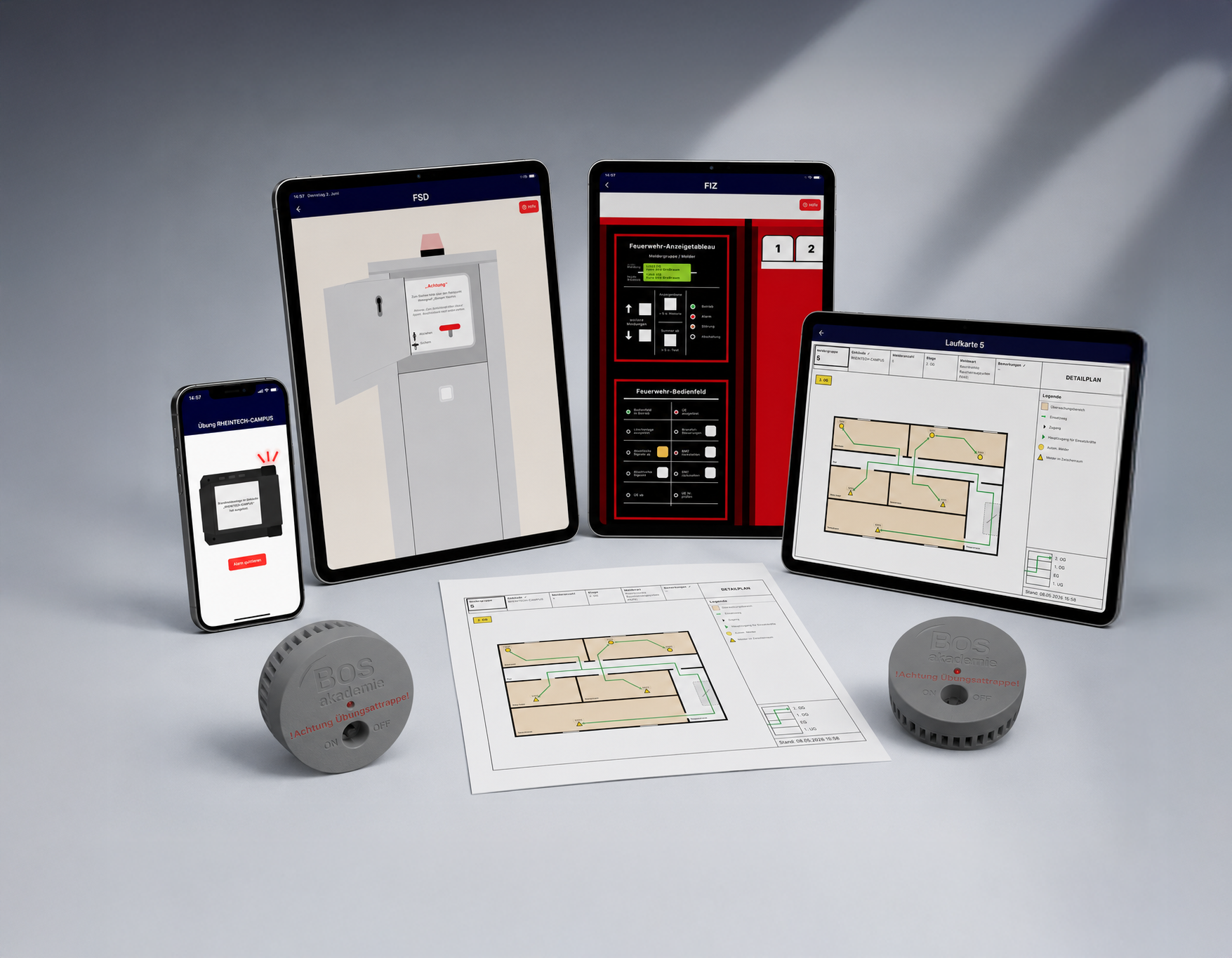
The fire alarm system trainings app is a training app that allows emergency responders to realistically practice the complete fire alarm system workflow—even in locations without an installed fire alarm system.
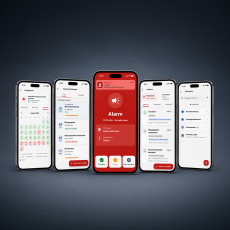
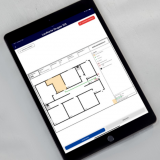
On a tablet or computer, a digital building layout with detector groups and automatically generated zone cards can be created within minutes. Alternatively, existing zone cards can now be imported as images or PDFs and used directly for training with only minor adjustments. Detector groups, floors, and individual detectors can be configured and positioned on the zone cards as needed.
In training mode, the instructor controls the system (e.g. triggering detectors or suppression systems), while participants work through the scenario as they would in a real incident. Additionally, exercises can be distributed across multiple devices, for example with separate roles for the FIZ, FSD, attack crew, or pager.
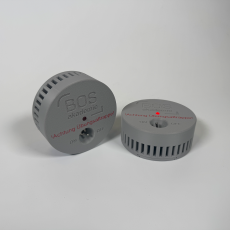
The app can be expanded with detector replicas to make the training process in real buildings more realistic.
With the purchase of this product, you will receive one licence, which allows you to use the BMA Trainer app on up to three terminals can use at the same time.
Please note that we set up access to the app manually, so it may take up to one business day for your access to be activated.
Here you can find more information about the terms of use and licensing.
At least two end devices are used for an exercise: One device runs in host mode for the exercise management and controls the fire alarm system (e.g., triggering detectors or extinguishing systems). Participants use their own devices in participant mode and work through the entire process from the fire department key depot (FSD) to resetting the fire alarm system, just as they would in a real-life situation.
The BMA-Trainer App can be installed via the usual stores:
In addition, the Fire Alarm System Trainings App is also Web-App directly in the browser at bma-trainer.bos-akademie.de available. The web version was primarily developed for desktop devices.
We recommend Google Chrome for using the web app.
What does the Fire Alarm System Trainings App offer?
– Realistic fire alarm system sequence from fire department key depot to system reset
– Flexible scenarios for basic training, management training, and post-operation debriefing
Core functions
Full-featured digital fire alarm system
– Manufacturer-independent and generically designed so that the learned operating logic can be transferred to common fire alarm systems
– The instructor controls the scenario, while participants respond in real time – ideal for training sessions and assessments.
– Exercises can be distributed across multiple devices: each device takes on a fixed role, such as FIZ, FSD, attack crew, or pager – enabling a realistic, team-based training workflow.
Floor Plan Editor and Zone Cards
– Create buildings digitally or now also import your own zone cards directly
– Upload existing zone cards as images or PDFs, then assign detector groups, floors, and detectors
– Place detectors directly on the zone card and adjust them if needed
– Automatically generate, edit, and export or print zone cards as PDFs
– Start training immediately using templates and example buildings
Realistic Training Workflow
– From the fire brigade key depot (FSD) to the fire alarm control panel (FIZ)
– Select the appropriate zone card, check detectors, reset the system, and restore the fire alarm system
– Use your own zone cards and distribute roles across multiple devices for training that closely reflects real operational procedures
Scope of delivery of the Fire Alarm System Trainings App
– BMA Trainer software license for up to 3 end devices
– Functions: Floor plan editor, automatic route map generation, instructor/participant mode, PDF export
– Regular updates
– Licenses can be expanded at any time if required. Additional licenses are available for €100 per license.
– Also available as a rental license. After expiration, all data (floor plans, zone cards, etc.) remains stored in your account and is immediately available again upon renewal or upgrade. Without an active license, account data is deleted after 18 months.
Further details on account management, licensing model, and permitted use can be found in the Nutzungsbedingungen.
System requirements
– Mindestens 2 Endgeräte (Tablet, Handy, Computer) mit aktuellem Betriebssystem
– ein Gerät für die Übungsleitung, mindestens ein Gerät für Teilnehmende
– Wir empfehlen Tablets ab 11 Zoll Bildschirmgröße für die optimale Darstellung von FIZ und FSD
– Aktive Internetverbindung (WLAN oder Smartphone-Hotspot). Die benötigte Bandbreite ist gering
Offline-Modus
Ohne Internetverbindung steht die Theorieansicht zur Verfügung. Dort können die einzelnen Taster am FIZ bedient und die zugehörigen Beschreibungen abgerufen werden. Für Übungen mit mehreren Geräten ist eine Internetverbindung erforderlich.
Feedback
We are continuously developing the Fire Alarm System Training app in collaboration with practitioners. Feedback from exercises, ideas for new features, or additional templates are expressly welcome—this will enable us to tailor the system even better to the requirements of fire departments step by step. Please send your suggestions to info@bos-akademie.de
Note
The BMA Trainer app is a training and exercise tool. It does not replace any structurally or technically required fire alarm system and does not alter any legal obligations or standards. Users are responsible for the accuracy of the building data entered and the correct execution of the exercises.
Download