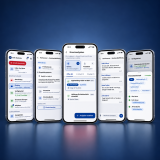

Description
BOS-Helfer – the app for operations, organization and communication in civil protection
Deployment arrangements in messenger groups, duty rosters in Excel, documents in different folders, absences communicated verbally, and important information somewhere in the email history?
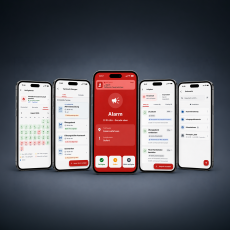
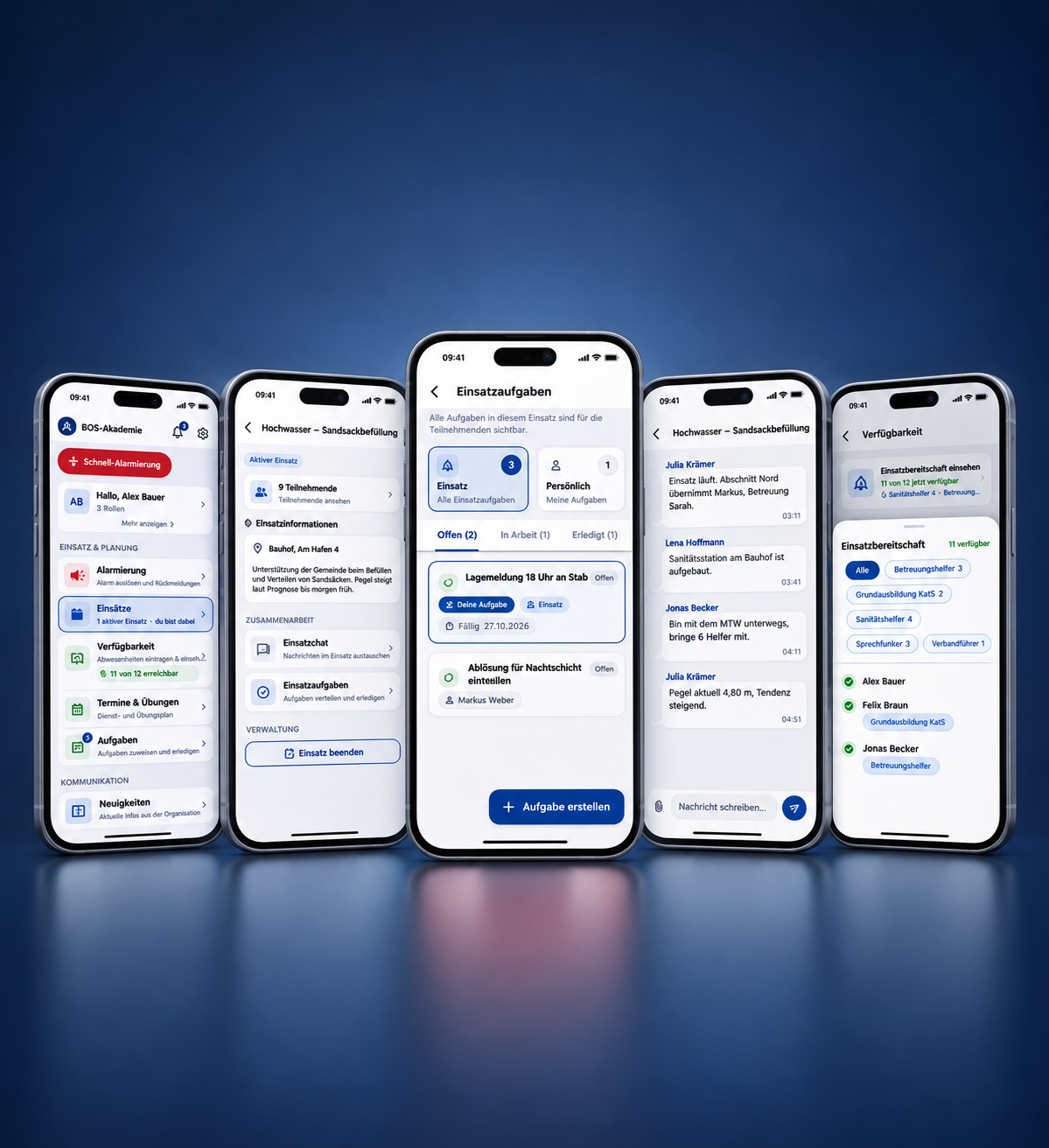
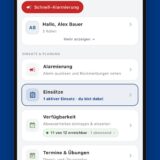
With our BOS-Helfer App Centralize your unit's organization in one central location. Each operation gets its own chat and task board. Members can find appointments, documents, tasks, contacts, and news directly in the app. At the same time, leaders maintain an overview of availability, qualifications, deadlines, and feedback.
This creates a shared digital point of contact for operations and daily service – without requiring a different list, group or application for each organizational task.
BOS-Helfer is aimed at emergency services personnel, managers and members in civil protection – for example at THW, DRK and DLRG.
BOS-Helfer is an independent offering from the BOS-Akademie and not an official app of the aforementioned organizations. The mention of these organizations serves solely to describe the target audience.
Everything important for your unit in one place
Work through missions together
For longer-term situations, managers create a deployment in the app. Everything related to it is then located in one place.
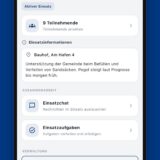
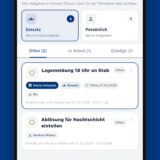
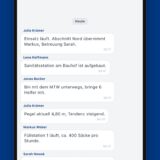
Each deployment receives a own deployment chat and a own task board. Tasks are distributed, accepted, and completed. This way, all participants can see what still needs to be done and who is taking care of it.
Participants are assigned to the entire unit or to specific groups. If enabled, members can also join an operation themselves. When an alert is triggered, the appropriate operation can be created directly.
Completed missions are archived. Participants can still access and review chat logs and tasks there.
Look up technical terms in the glossary.
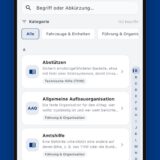
Abbreviations and technical terms vary from organization to organization. The integrated glossary makes it searchable for all members.
As a starter kit, terms from the areas of civil protection basics, technical assistance, water rescue, and aid organizations are provided. Your unit can adopt these terms and supplement them with its own terms and categories, optionally with attachments and links.
Organize appointments, services and exercises
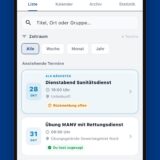
Service evenings, training sessions, meetings, and other appointments can be created centrally and published specifically for the intended members or groups. Recurring appointments can be set up as series.
Members can see their upcoming appointments directly in the app and can accept or decline. This gives those responsible an up-to-date overview of the feedback and allows them to anticipate the number of participants at an early stage.
Reminders help ensure that upcoming appointments aren't missed. Required information or documents can be made available directly at the respective appointment. Appointments can also be added to your smartphone calendar if desired.
This eliminates the tedious task of gathering feedback from various chats or lists.
Keeping track of availability and absences
Who is currently available? Who is working? Who is on vacation? And are there any available personnel, such as a group leader or someone with another required role?
Members can specify when they expect to be unavailable. Both options are possible. one-off absences, for example for holidays, as well as regular curfews, for example due to working hours.
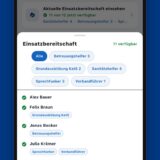
This information is automatically incorporated into the availability overview. Managers can then see at a glance how many members are currently available.
If members are assigned specific functions or qualifications, these can also be taken into account in the overview. This makes it possible not only to see, how many people are available, but also, which functions are represented among the available forces.
An additional calendar view shows planned absences within the unit, thus making it easier to see the coming days and weeks.
Centrally store qualifications and deadlines
What training courses has a member completed? Who is a radio operator, first aid responder, or care assistant, and who has another important qualification?
Qualifications can be managed centrally in the member administration system and are then available wherever they are needed within the organization. In-house training courses can be added.
Additionally, relevant Deadlines and validity periods Information is stored. Members can see their own stored courses and deadlines in their profile, while administration is handled centrally by authorized personnel.
This creates a unified database, instead of having to manage qualifications and deadlines in separate Excel lists.
Distribute tasks and keep track of everything
Even outside of exercises and deployments, numerous tasks arise within a unit.
Tasks can be created centrally, assigned to the responsible individuals, and given a deadline. Individuals can also independently take on tasks that have been assigned to multiple people or groups. This makes it transparent for everyone involved., what still needs to be done, who is responsible for it, and by when the task should be completed..
This helps with small organizational tasks as well as with the preparation of events, exercises or other projects within the unit.
Provide documents centrally
Service instructions, training documents, forms, PDFs, images or other important files no longer need to be distributed via various messenger groups and email distribution lists.
The BOS-Helfer app provides a common solution for this. Document management with folder structure ready.
Documents can be stored clearly and made available to the intended members or groups. This way, members know where to find current documents, and those responsible don't have to repeatedly send important files.
Targeted publication of news
Not every piece of information requires its own chat.
News and announcements allow important information to be published in a structured manner within the organization. This information can be made available to all members or specifically to certain groups, depending on the need.
This ensures that important messages remain visible and are not lost among individual chat messages.
Communicate directly with each other
A dedicated chat function is available within the app for quick communication.
Members can communicate directly with each other or use shared group chats. This allows for more effective internal communication within the BOS-Helfer app, eliminating the need for private messenger groups. Polls can also be conducted within these chats.
Find contacts quickly
The integrated contact overview makes it easy to find important contacts quickly.
In addition to members of their own unit, there may also be external contacts, for example, the contact details of municipalities, authorities, police or other regularly needed contacts, can be stored centrally.
Phone numbers can be used directly from the app. Members can also be added as contacts to your own address book.
Manage members and groups centrally
The BOS-Helfer app reflects your actual organizational structure.
Members can be assigned to groups and given the necessary roles and permissions. Groups can then be used in various parts of the app – for example, to provide information, appointments, or other content to the right people.
The role system simultaneously determines who can only view certain areas and who can manage them.
One person can take on several roles simultaneously.
Depending on the task, the roles are Administrator, organizational manager, executive and member available.
This ensures that not every member has access to all administrative functions, while still allowing the necessary information to reach the right people quickly.
Additional members should be alerted
In addition to organizing your unit, the app can also be used to alert members.
The alarm function is explicitly designed as Addition intended for situations where no regular alert via control center, radio pager or other designated alerting channels This has been done.
This could include, for example, support services during floods or after severe weather, sandbagging operations, care situations or other suitable activities.
The BOS-Helfer app does not explicitly replace official alerting channels or dispatch systems.
An alert can be created directly in the app. This includes specifying the alert keyword, meeting point, time or urgency, and the required number of personnel.
Alert groups can be used to specifically notify those individuals who are intended to provide the respective support service.
Those affected receive a clearly visible push notification with the most important information and can directly report back whether they
- available,
- Available later or
- not available are.
The responsible managers see the incoming feedback immediately in the app. This allows them to quickly assess how many personnel are actually available and whether additional staff are needed.
What exactly does the BOS-Helfer app do?
With the BOS-Helfer app you can:
- Conduct missions with their own chat and task board,
- Determine participants for the entire unit or via groups,
- Look up and add technical terms and abbreviations in the glossary.,
- Centrally manage members and organizational structures,
- Create groups for different areas of your unit,
- Assign roles and permissions,
- Create service, training and other appointments,
- Directly record acceptances and rejections,
- Automatically remind members of appointments,
- Record availability and absences,
- Regular blocking times, such as working hours, must be entered.,
- to have an overview of current staff availability,
- Manage qualifications and training courses,
- Keep an eye on deadlines and validity periods,
- Create tasks and assign them to responsible parties,
- Provide documents, PDFs and images in a structured manner,
- Publish targeted information and news,
- Use individual and group chats for internal coordination,
- Centrally provide internal and external contacts and
- Alert members for suitable support services and evaluate their feedback directly.
This means members a central point of contact for operations and daily service, while managers receive the information they need for organization and planning.
A separate organization for each unit
Each unit receives its [information] within the BOS-Helfer app. own organization.
Members, groups, documents, appointments, tasks, and other organization-related data are assigned to the respective unit. Permissions within the organization are controlled via roles and groups.
This allows the app to be adapted to different structures – from a small unit to organizations with multiple groups and different responsibilities.
- Administrator: manages members, groups, rights, documents, and alert keywords.
- Organizational management: It manages the organization, triggers alarms, and starts and ends operations.
- Manager: It triggers alarms, starts and ends operations, and manages documents, appointments, and news.
- Member: receives alerts, reports its own availability, participates in operations, and uses all shared content.
Basic version or full version
The BOS-Helfer app can already be used in a free basic version for key organizational tasks. It also includes incident management with a chat function, a task board, and a glossary.
Those who wish to use the app comprehensively for organizing their unit can use the full version. This expands the range of functions, including, among other things, the addition of... Availability, chat and alerting and enables the Unlimited use of deployments and task management.
This allows a unit to start with the basic functions and switch to the full range of functions if needed.
| Function | Basic version | Full version |
|---|---|---|
| Member administration | up to a maximum of 10 members | ✓ |
| Groups & Roles | ✓ | ✓ |
| Duty & Training Schedule | ✓ | ✓ |
| Acceptances and cancellations of appointments | ✓ | ✓ |
| Reminders of appointments | ✓ | ✓ |
| News & Announcements | ✓ | ✓ |
| Document management | ✓ | ✓ |
| Contacts & Contact Persons | ✓ | ✓ |
| Missions with mission chat & task board | Up to 5 | Unlimited |
| glossary | ✓ | ✓ |
| Courses & Qualifications | – | ✓ |
| Deadlines & Validities | – | ✓ |
| Task management | Limited | Unlimited |
| Availability & Absences | – | ✓ |
| Availability calendar | – | ✓ |
| Availability based on function/qualification | – | ✓ |
| Individual & group chats | – | ✓ |
| Alerting members | – | ✓ |
| Feedback on alerts | – | ✓ |
| Alerting groups | – | ✓ |
The Basic version already offers the most important functions
for the digital organization of your unit. With the
Full version Availability planning is particularly important,
general chat and alerting added – as well as unlimited usage
of deployments and task management.
Price
The price of the full version depends on the size of your organization and the required cloud storage. The cloud storage is available to the entire organization and can be expanded as needed during the subscription period.
As your unit grows, the number of members booked can be adjusted accordingly.
| Members | Price per year | Cloud Storage | Price per year |
|---|---|---|---|
| up to 20 | 19,99 € | 250 MB | contain |
| up to 30 | 29,99 € | 1 GB | 9,99 € |
| up to 40 | 39,99 € | 2 GB | 14,99 € |
| up to 50 | 49,99 € | 5 GB | 19,99 € |
| up to 60 | 59,99 € | 10 GB | 24,99 € |
| up to 70 | 69,99 € | 20 GB | 29,99 € |
| up to 80 | 79,99 € | Cloud storage applies to your entire organization., regardless of the number of members. It can also happen during The duration will be increased. |
|
| up to 90 | 89,99 € | ||
| up to 100 | 99,99 € | ||
All prices are per year and include VAT. The base price includes 250 MB of cloud storage. If your usage grows or you no longer need sufficient storage, both can be adjusted during the contract period.
Does your unit have more than 100 members? Contact us, we'll make you a suitable offer.
Term, Invoice and Payment
After receiving your payment, we will activate the full version for your organization. The initial term is twelve months from the date of payment, but no earlier than the activation date. Any prior free usage will not be credited towards this term.
For businesses and public sector clients, the contract is automatically renewed for twelve months unless terminated with four weeks' notice prior to the end of the term. Consumers can terminate with four weeks' notice prior to the end of the initial term; thereafter, the contract continues indefinitely and can be terminated at any time with one month's notice. Terminations can be sent by email to info@bos-akademie.de or via the "Cancel contracts here" link at the bottom of each page.
We will remind you by email approximately six weeks before the end of your fixed contract term. Billing is done annually in advance; any amounts paid after the contract ends will be refunded to consumers on a pro-rata basis. An advance payment does not create a new annual commitment after the initial term.
You will receive the invoice by email. Payment is made by SEPA bank transfer, quoting the invoice number.
The offer is primarily aimed at civil protection units, aid organizations, municipalities, and other organizations. Consumers can also purchase a license in their own name.
Continuous Improvement
BOS-Helfer is continuously being developed and is intended to be geared towards the actual requirements in civil protection. Ideas, feature requests and suggestions for improvement are therefore expressly welcome. Feedback can be sent directly to us via the corresponding function in the app's settings.
Download the BOS helper app
The app is available for free in the App Store and on Google Play. Registration then takes place using your personal user account, which your organization invites you to or which you create yourself as the license holder.
Alternatively, the application can be used in the browser via https://boshelfer.web.app Available. Note: There may be visual and functional variations (e.g., in the alarm function).


Legal Information
Information on how your data is processed can be found in our Privacy Policy. The terms governing the use of the app are set out in our Terms of Use.